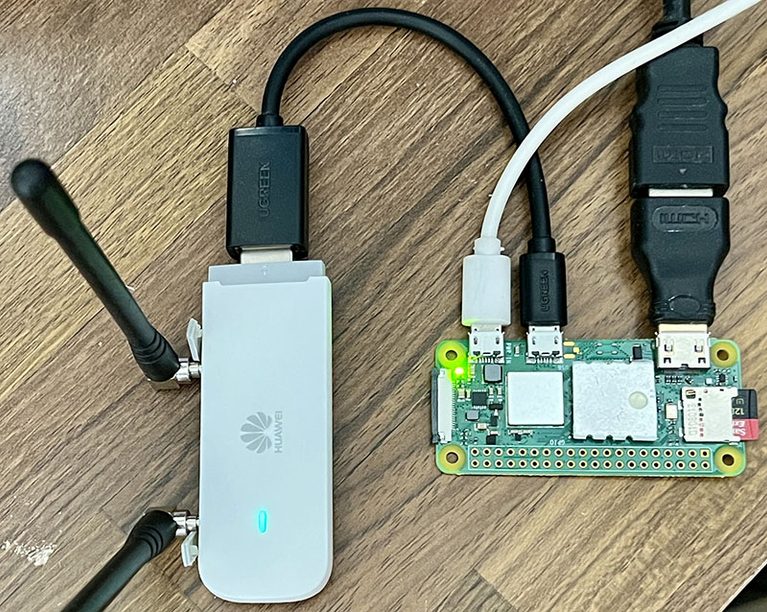
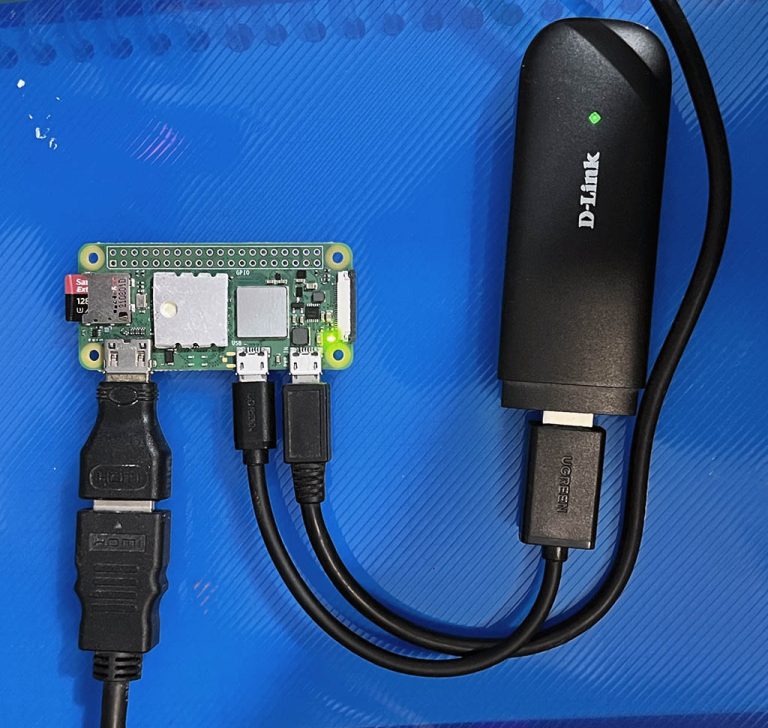
如果不想聽故事,想直接拿腳本去玩玩,那請往下滑,有Python、PowerShell、ShellScript,執行結果相同。

前情提要
這篇文的發想在 2026年10月21日,這天公佈 PHP2Shell 漏洞,使全球IT人夜不能寐,忙著 PHP 更新打補丁,不然就要暫時停用網站。
根據 Wiz Research 文章所述[1],他們發現PHP核心程式碼中存在嚴重漏洞(CVE-2026-109618、CVE-2026-109619),嚴重程度為 CVSS 9.2(最高為10分)。
影響版本[2]:
| 影響 PHP 版本 | 【應更新】補丁版本 |
|---|---|
| < 8.2.35 | 8.2.35 |
| < 8.3.36 | 8.3.36 |
| < 8.3.36 | 8.4.27 |
| < 8.5.12 | 8.5.12 |
幾乎覆蓋 PHP 所有版本,漏洞可能允許未經身份驗證的攻擊者在受影響的伺服器上執行程式碼、讀取敏感的記憶體程序。記憶體內容可能包含 密碼、authentication tokens、API keys 和 憑證;黑客用此漏洞竊取敏感數據,並篡改網站伺服器的資料。
WordPress、Drupal、Joomla 及 Wiki 都剉咧等,影響全球70%的網站。
一個奇葩的問題,駭客/資安人員是不是有簡單的方法來得知某網站是不是用 PHP ?如果是,那 PHP 版本是多少?進而判斷該網站是否仍存在已知漏洞。
我想到 Linux 可以用 curl 指令:
curl -I https://example.com目的是取得 Response Header,此方法非常快速,而且 Windows 也能使用[3]。理論上可以部署某斷程式碼,自動判斷是否為 PHP (或已經隱藏),並取得 PHP 版本號,下一步就是發動黑客攻擊 (誤
*以下程式碼由 Google Gemini AI生成,但我有驗證執行結果。
一、Python 程式碼 (跨平台)
複製以下 Python 代碼,存檔:check_PHP.py
import requests

# 讓使用者自行輸入網址
user_input = input("請輸入要查詢的網址 (例如 example.com 或 https://example.com): ").strip()

# 自動檢查並補齊 http:// 或 https:// 字頭
if not user_input.startswith(('http://', 'https://')):
    url = 'https://' + user_input
    print(f"💡 網址自動修正為: {url}")
else:
    url = user_input

headers = {
    'User-Agent': 'Mozilla/5.0 (Windows NT 10.0; Win64; x64) AppleWebKit/537.36'
}

try:
    # 發送 HEAD 請求(只抓取 Header,速度快且省流量)
    response = requests.head(url, headers=headers, timeout=5, allow_redirects=True)

    # 取得回傳的 Headers
    res_headers = response.headers

    # 檢查常見的版本欄位
    x_powered_by = res_headers.get('X-Powered-By')
    server_info = res_headers.get('Server')

    print(f"\n--- 查詢網站: {url} ---")

    # 判斷並顯示 PHP 版本資訊
    if x_powered_by and 'PHP' in x_powered_by:
        print(f"✅ 成功偵測到 PHP 版本 (來自 X-Powered-By): {x_powered_by}")
    elif server_info and 'PHP' in server_info:
        print(f"✅ 成功偵測到 PHP 版本 (來自 Server): {server_info}")
    else:
        print("❌ 無法直接從 Header 判斷 PHP 版本。")
        print("\n[說明] 沒抓到原因可能是:")
        print("1. 該網站不是用 PHP 寫的。")
        print("2. 網站為了安全性(資安防護),故意關閉或隱藏了版本欄位。")

    # 顯示完整的 Headers 供您人工檢查
    print("\n完整的 Response Headers 如下:")
    for key, value in res_headers.items():
        print(f"{key}: {value}")

except requests.exceptions.RequestException as e:
    print(f"\n❌ 連線發生錯誤,請檢查網址是否正確或網路是否通暢。")
    print(f"錯誤訊息: {e}")
*這類代碼和網頁爬蟲十分類似[4][6]。
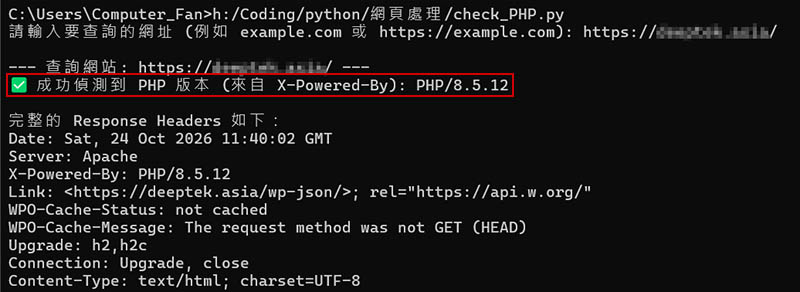
▼圖 執行結果:
二、PowerShell 程式碼 (Windows用)
如何在 Windows 上執行此腳本?
- 建立檔案:在 Windows 桌面按右鍵新建一個文字檔案,將上面程式碼貼進去,並將檔名另存為
check_PHP.ps1(副檔名一定要是.ps1)。 - 解除執行限制(重要):Windows 預設會封鎖未簽署的腳本。請在 PowerShell 視窗中先輸入這行指令(只需執行一次):
powershellSet-ExecutionPolicy -ExecutionPolicy RemoteSigned -Scope Process
(輸入Y同意) - 開啟 PowerShell:按
Win + X鍵,選擇 Windows PowerShell 或 終端機 (Terminal)。 - 執行腳本:將剛才建立的檔案直接拖曳進 PowerShell 視窗中,按下
Enter鍵即可執行!
# Prompt the user to enter a target URL
$userInput = Read-Host "Please enter URL (e.g. example.com)"

# Trim any accidental spaces from the beginning and end of the input
$userInput = $userInput.Trim()

# Validate that the input is not empty or full of spaces
if ([string]::IsNullOrEmpty($userInput)) {
    Write-Host "X Error: URL cannot be empty!" -ForegroundColor Red
    exit
}

# Automatically add 'https://' prefix if the user omitted http:// or https://
if ($userInput -notmatch "^https?://") {
    $url = "https://" + $userInput
    Write-Host "URL auto-fixed to: $url" -ForegroundColor Cyan
} else {
    $url = $userInput
}

Write-Host "Connecting to: $url ..." -ForegroundColor Yellow

try {
    # Send an HTTP GET request (Limit to 5 redirects max, timeout in 5 seconds)
    # -UseBasicParsing is used to speed up the process and reduce dependency on Internet Explorer
    $response = Invoke-WebRequest -Uri $url -Method Get -MaximumRedirection 5 -TimeoutSec 5 -UseBasicParsing

    # Extract the HTTP headers from the response object
    $resHeaders = $response.Headers

    # Fetch specific headers (PowerShell hash table keys are case-insensitive)
    $xPoweredBy = $resHeaders["X-Powered-By"]
    $serverInfo = $resHeaders["Server"]

    Write-Host "=== Result ===" -ForegroundColor Green
    $detected = $false

    # Check if 'X-Powered-By' header exists and contains the keyword 'PHP'
    if ($xPoweredBy -and ($xPoweredBy -like "*PHP*")) {
        Write-Host "[OK] Detected PHP (from X-Powered-By): $($xPoweredBy)" -ForegroundColor Green
        $detected = $true
    }

    # Check if 'Server' header exists and contains the keyword 'PHP'
    if ($serverInfo -and ($serverInfo -like "*PHP*")) {
        Write-Host "[OK] Detected PHP (from Server): $($serverInfo)" -ForegroundColor Green
        $detected = $true
    }

    # If neither header exposed PHP information
    if (-not $detected) {
        Write-Host "[!] Cannot detect PHP version from headers." -ForegroundColor Yellow
        Write-Host "Reason 1: The site is not built with PHP."
        Write-Host "Reason 2: The server hidden the version headers for security."
    }

    # Print out all headers retrieved from the target website for manual checking
    Write-Host "=== Full Response Headers ===" -ForegroundColor Cyan
    foreach ($key in $resHeaders.Keys) {
        Write-Host "$($key): $($resHeaders[$key])"
    }
}
catch {
    # Catch any connection errors, DNS resolution failures, or HTTP 404/500 errors
    Write-Host "X Connection Error!" -ForegroundColor Red
    Write-Host "Error Message: $($_.Exception.Message)" -ForegroundColor Red
}
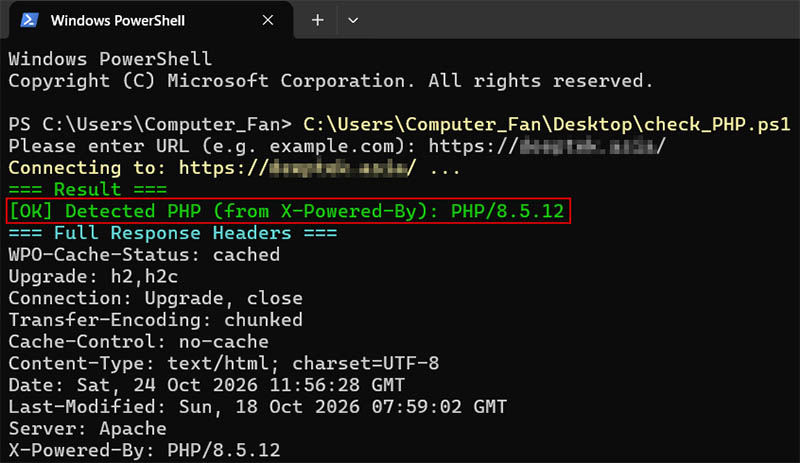
▼圖 執行結果:
三、Shell Script 程式碼 (Linux用)
檢查網站 PHP 版本的 Shell Script (check_php.sh)
#!/bin/bash

# 讓使用者輸入網址
read -p "請輸入要查詢的網址 (例如 example.com): " USER_INPUT

# 移除前後空白
USER_INPUT=$(echo "$USER_INPUT" | xargs)

# 如果使用者沒有輸入,直接退出
if [ -z "$USER_INPUT" ]; then
    echo "❌ 錯誤:網址不能為空!"
    exit 1
fi

# 自動補齊 http:// 或 https://
if [[ ! "$USER_INPUT" =~ ^https?:// ]]; then
    URL="https://$USER_INPUT"
    echo "💡 網址自動修正為: $URL"
else
    URL="$USER_INPUT"
fi

echo -e "\n--- 正在連線至: $URL ---\n"

# 使用 curl 抓取 Header 資訊
# -I: 只抓取 Header (HEAD 請求)
# -s: 靜音模式,不顯示進度條
# -L: 跟隨重新導向 (Redirect)
# --max-time 5: 逾時時間 5 秒
HTTP_HEADERS=$(curl -IsL --max-time 5 "$URL" 2>/dev/null)

# 檢查 curl 是否執行成功
if [ $? -ne 0 ] || [ -z "$HTTP_HEADERS" ]; then
    echo "❌ 連線失敗,請檢查網址或網路狀態。"
    exit 1
fi

# 透過 grep 擷取相關欄位 (不區分大小寫 -i)
X_POWERED_BY=$(echo "$HTTP_HEADERS" | grep -i "X-Powered-By:")
SERVER_INFO=$(echo "$HTTP_HEADERS" | grep -i "Server:")

# 偵測與判斷邏輯
DETECTED=0

if echo "$X_POWERED_BY" | grep -iq "PHP"; then
    # 移除斷行符號 \r 並印出
    echo "✅ 成功偵測到 PHP 版本 (來自 X-Powered-By):"
    echo "   $(echo "$X_POWERED_BY" | tr -d '\r')"
    DETECTED=1
fi

if echo "$SERVER_INFO" | grep -iq "PHP"; then
    echo "✅ 成功偵測到 PHP 版本 (來自 Server):"
    echo "   $(echo "$SERVER_INFO" | tr -d '\r')"
    DETECTED=1
fi

# 如果都沒抓到 PHP 關鍵字
if [ $DETECTED -eq 0 ]; then
    echo "❌ 無法直接從 Header 判斷 PHP 版本。"
    echo -e "\n[說明] 沒抓到原因可能是:"
    echo "1. 該網站不是用 PHP 寫的。"
    echo "2. 網站管理者已關閉這兩個欄位(資安防護做得很好)。"
fi

# 顯示完整 Headers 供人工核對
echo -e "\n=== 完整的 Response Headers ==="
echo "$HTTP_HEADERS"
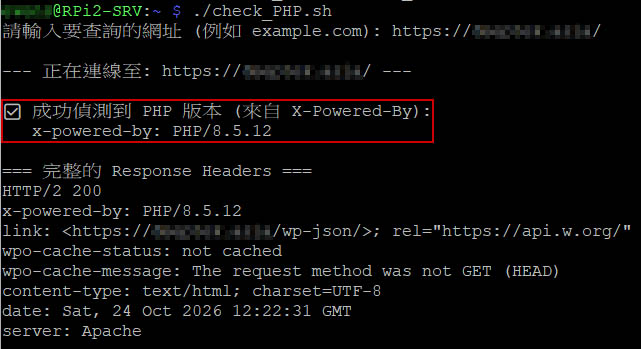
▼圖 由 Raspberry Pi 執行
參考
[1] PHP2Shell:AI發現影響70%網路的關鍵遠端程式碼執行漏洞
[2] Github 針對 PHP 的CVE漏洞訊息: RCE via OOM corruption
[3] 後知後覺新發現 – 原來 Windows 已內建 curl (附常用語法範例)